
AIC CMMC Complete™
AIC CMMC Complete™ is a standardized commercial software kit that customers deploy and operate. Run it on your own hardware and software, or on networking and virtual machines supplied by a commercial cloud provider. Your organization controls the environment and authorizes access for its staff, MSP, and qualified solution providers. Analog Informatics supplies the software and does not host or manage your CMMC systems.
AIC CMMC Complete™ runs in three hosting models: customer on premises, customer-run software on commercial Infrastructure as a Service, and an authorized application under a third-party FedRAMP or GCC cloud. See Shared responsibility.
Choose a Level 1, Level 2, or Level 3 kit for your contract and the information you handle. Each kit combines security controls with workflows for collecting assessment evidence. The sections below explain what is included, how the software supports each requirement, and what your team remains responsible for.
Explore Level 1 | Explore Level 2 | Explore Level 3 | See how each requirement is met
Compare Customer-Deployed Software with SaaS Email and VDI · Where Each Approach Works Best
Customer responsibilities: Your team deploys, configures, and operates the environment, including FCI/CUI data migration. You can engage an MSP or qualified provider under your control. Infrastructure, third-party software, and independent assessments are separate from the AIC software license.
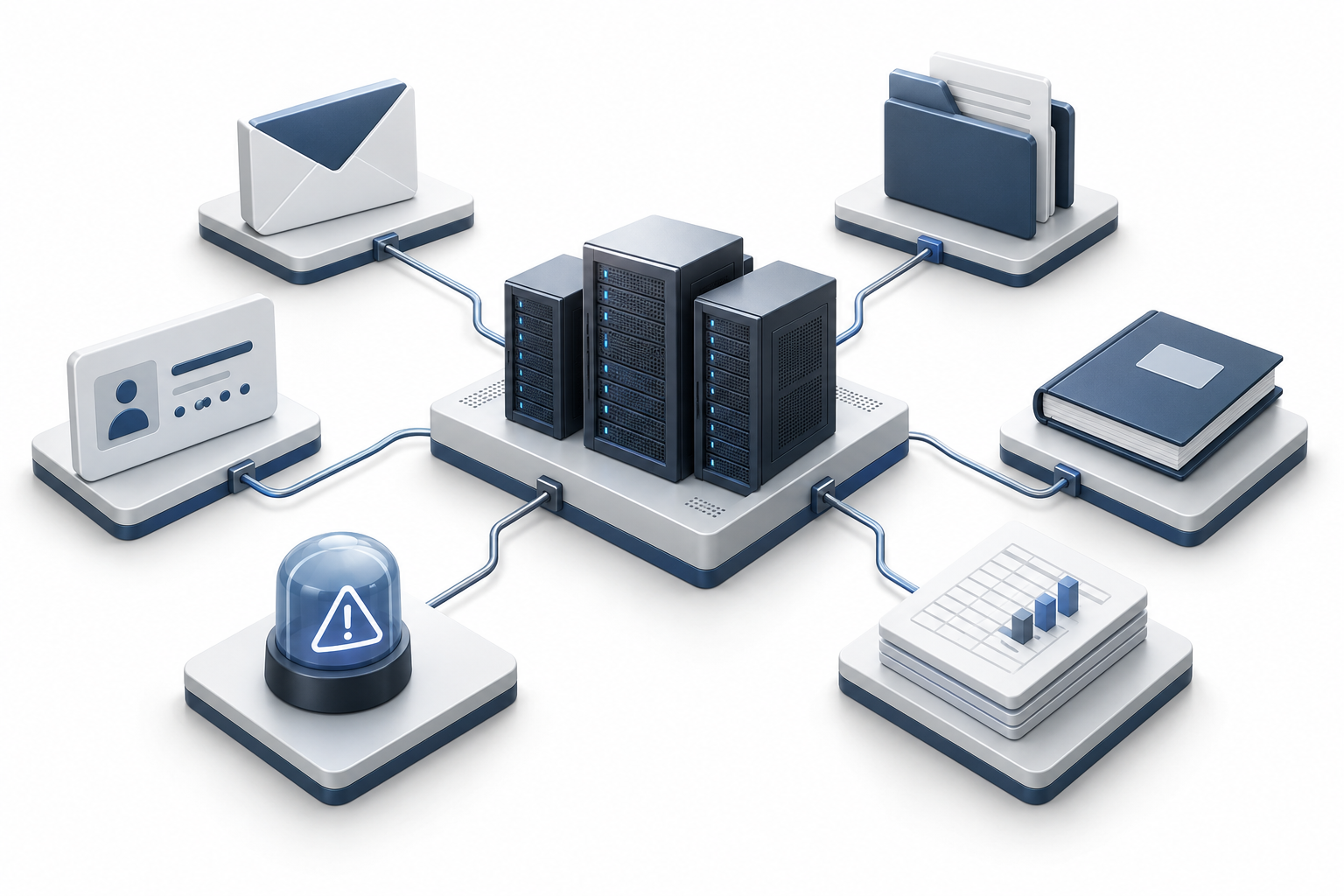
Every CMMC level package includes a secure email server, with FCI/CUI email accounts for all named users.
Run the Controls. Keep the Evidence.
An assessment should examine how you operate—not trigger a scramble to reconstruct it. Use a standardized software kit to control privileged identities and access, monitor security posture, track remediation, and collect evidence as work happens.
Bring training records, required attestations, and control evidence into the same operating process. Keep the Assessment Binder current so your team can show what is working, what changed, and what still needs attention.
You don’t need to assemble every tool and invent every procedure. Our kits include guides, cookbooks, and training materials. Your team operates the environment, with your MSP or qualified provider where needed. Automation reduces recurring work and helps you get more secure every day.
Your CMMC Environment. Our Standardized Software Kit.
Deploy downloadable software or preconfigured marketplace instances on premises, in an isolated enclave, on supported air-gapped systems, or on customer-controlled cloud virtual machines. Integrate with your Active Directory, authorize your auditor and MSP, and select your own VDI platform when you need one. Package entitlements and infrastructure capacity determine scale.
Built by the team behind privileged access solutions for sensitive US Government and prime contractor environments with security demands beyond typical CMMC deployments. The kits support CMMC Level 1 through Level 3, with broader controls and evidence workflows for NIST SP 800-53 programs.
Choose the Kit for Your CMMC Level
Each kit includes the one below it. You move up a level on the same system, without rebuilding.
Level 1: Protect Federal Contract Information
For companies that handle Federal Contract Information (FCI). 15 requirements from Federal Acquisition Regulation (FAR) clause 52.204-21, with an annual self-assessment.
- Named-person sign-in with MFA, and role checks on every page
- Configuration Compliance that finds flaws, repairs known settings, and can block a failing system
- An encrypted document vault, with governed mail. Each named user has one email account.
- The Assessment Binder, which also stores your records for locks, visitors, and media disposal
Review the requirement mapping to see which controls the software performs, which tasks it assists, and which evidence your team supplies. Explore how the kit supports Level 1
Level 2: Protect Controlled Unclassified Information
For companies that handle Controlled Unclassified Information (CUI). 110 requirements from National Institute of Standards and Technology (NIST) Special Publication (SP) 800-171 Rev 2, assessed by your company or by a CMMC Third-Party Assessment Organization (C3PAO), as your contract states.
- Everything in Level 1
- Privileged credential vault, approved privileged sessions with Command Restriction, and Just-in-Time (JIT) endpoint elevation
- Training and signed attestation for named people
- Tamper-evident audit records, log forwarding, and incident records
- CUI marking, governed mail, and the Plan of Action and Milestones (POA&M)
Review the requirement mapping to see which controls the software performs, which tasks it assists, and which evidence your team supplies. Explore how the kit supports all 110 Level 2 requirements
Level 3: Defend Against Advanced Threats
For companies on priority programs. 24 requirements selected from NIST SP 800-172, added to Level 2, with a government assessment.
- Everything in Level 2
- An isolated Jump server that separates and records every Secure Shell (SSH), Remote Desktop Protocol (RDP), and Virtual Network Computing (VNC) session
- Automated drift detection and repair, and blocking of untrusted systems
- Threat feeds at sign-in and an attack report mapped to MITRE ATT&CK
- The NIST SP 800-172 map in the Assessment Binder
Review the requirement mapping to see which controls the software performs, which tasks it assists, and which evidence your team supplies. Explore how the kit supports the 24 Level 3 requirements
Start with Your Contract Requirements
Your contract and the information you handle determine the applicable requirements. FCI-only work generally uses the Level 1 safeguarding baseline. Covered defense information on a covered contractor system brings the NIST SP 800-171 obligations in DFARS 252.204-7012. The assessment clauses govern SPRS scores, while an annual CMMC affirmation applies when required by DFARS 252.204-7021. Review the clauses in your own contract.
Explore the Software Capabilities
Each stop shows a capability, how it supports your CMMC program, relevant requirements, and the kits that include it. A feature supports the work within its configured scope; it does not establish that the whole requirement is satisfied.
1. Sign-in, MFA, and Conditional Access
Every person signs in as a named identity, from your directory or a local account, and passes a second step. Conditional Access checks country, network address, and threat feeds before access starts. Repeated failures lock the account.
Sign-in policy covers multi-factor authentication, passkeys, password rules, and lockout.
- Requirements: AC.L1-b.1.i, IA.L1-b.1.v, IA.L1-b.1.vi, IA.L2-3.5.3, AC.L2-3.1.12, IA.L3-3.5.3e
- Kits: every kit
- Explore: Level 1 requirements | Level 2 Identification and Authentication
2. Privileged Credential Vault
Privileged Identity Management (PIM) holds administrator passwords in a vault. People check out an account for a limited time, and the kit rotates the password afterward and pushes the new one to every service that uses it. No one keeps a standing administrator password.
- Requirements: AC.L2-3.1.5, AC.L2-3.1.6, IA.L2-3.5.7, IA.L2-3.5.9
- Kits: Level 2 and Level 3
- Explore: Level 2 Access Control
3. Approved Privileged Sessions with Command Restriction
Privileged Access Management (PAM) brokers SSH, RDP, and VNC sessions in the browser. Each session needs approval, uses a vaulted credential without showing it, and ends at its timeout. Command Restriction blocks a disallowed command as it is typed.
Command restriction allows or denies SSH commands by rule, with a default deny and a test tool.
- Requirements: AC.L2-3.1.2, AC.L2-3.1.12, AC.L2-3.1.15, MA.L2-3.7.5, SC.L2-3.13.4
- Kits: Level 2 and Level 3
- Explore: Level 2 Access Control | Level 2 Maintenance
4. Just-in-Time Endpoint Elevation
Privileged User Management (PUM) gives a user administrator rights for one approved task and removes them afterward. Users keep no standing administrator rights, and every privileged action is logged with the person's name. Windows is the most complete today.
Just-in-time elevation works with an agent, without an agent, and on air-gapped systems through one-time codes.
- Requirements: AC.L2-3.1.5, AC.L2-3.1.7, AC.L2-3.1.15
- Kits: Level 2 and Level 3
- Explore: Level 2 Access Control
5. Configuration Compliance and Current State Compliance
Configuration Compliance checks each enrolled system against its approved baseline configuration. Fix-It repairs known settings, findings it cannot repair are flagged for IT, and a failing system can be blocked. Current State Compliance rescans each control and records drift, so the evidence stays current between assessments.
- Requirements: AC.L1-b.1.iii, SI.L1-b.1.xii, CM.L2-3.4.1, CM.L2-3.4.2, CM.L2-3.4.6, CM.L2-3.4.7, CA.L2-3.12.3, CM.L3-3.4.2e
- Kits: every kit
- Explore: Level 1 requirements | Level 2 Configuration Management | Level 3 requirements
6. Workforce Training and Signed Attestation
The kit assigns training from 53 ready-made templates to named employees and contractors, sends reminders, and stores each signed attestation with the document version and date. Completion reports show who is done and who is late.
The workforce roster tracks who must train, including contractors, and records exclusions.
- Requirements: AT.L2-3.2.1, AT.L2-3.2.2, AT.L3-3.2.1e, AT.L3-3.2.2e
- Kits: Level 2 and Level 3
- Explore: Level 2 Awareness and Training
7. CUI Marking, Governed Mail, and the Document Vault
Data classification marks FCI and CUI, checks each person's clearance before release, and records every release. Governed mail and the document vault keep CUI on protected paths, encrypted in transit.
One marking catalog ranks CMMC, US government, and NATO markings by sensitivity.
- Requirements: AC.L2-3.1.3, MP.L2-3.8.4, SC.L2-3.13.1, SC.L2-3.13.8, AC.L3-3.1.3e
- Kits: the document vault is in every kit. Governed mail is included on Level 1, Level 2, and Level 3. Each named user has one email account.
- Explore: Level 2 Media Protection | Level 2 System and Communications Protection
8. Tamper-evident Audit Records and Log Forwarding
The kit records sign-in, access, elevation, sessions, configuration changes, and secret actions. Records cannot be edited in place, and exports are hash-chained so changes are detectable. Security events can be forwarded to your security information and event management (SIEM) system using RFC 5424 syslog.
Security events forward to your SIEM over RFC 5424 syslog.
- Requirements: AU.L2-3.3.1, AU.L2-3.3.5, AU.L2-3.3.8
- Kits: Level 2 and Level 3
- Explore: Level 2 Audit and Accountability
9. Incident Records and Alerts
Incident Response records each incident, runs detections, and alerts the right people by email, text message, and ticket. Each record keeps its status and history through closure.
A live security event feed shows sign-ins, configuration changes, and vault activity as they happen.
- Requirements: IR.L2-3.6.1, IR.L2-3.6.2, IR.L3-3.6.1e, IR.L3-3.6.2e
- Kits: Level 2 and Level 3
- Explore: Level 2 Incident Response | Level 3 requirements
10. Assessment Binder, POA&M, and System Security Plan
The Assessment Binder assembles the evidence from every capability above into one package for your team, your Managed Service Provider (MSP), and your assessor. It holds the POA&M and the risk register, supports the system security plan (SSP) with a narrative wizard, and stores your records for physical, personnel, and policy requirements.
- Requirements: CA.L2-3.12.1, CA.L2-3.12.2, CA.L2-3.12.4, RA.L3-3.11.4e, and every requirement with the kit role Records
- Kits: every kit. The NIST SP 800-172 map is in Level 3
- Explore: Level 2 Security Assessment
11. Isolated Jump with Session Recording and Threat-informed Defense
The Level 3 Jump server separates privileged sessions from the rest of the network and records each SSH, RDP, and VNC session for replay. Threat feeds drive sign-in blocking, and the attack report maps blocked attacks to MITRE ATT&CK.
RDP sessions are recorded as encrypted video, with the same reason-gated, audited playback.
- Requirements: SC.L3-3.13.4e, RA.L3-3.11.1e, RA.L3-3.11.2e, SI.L3-3.14.6e
- Kits: Level 3. Threat feeds at sign-in are in every kit
- Explore: Level 3 requirements
How the Software Supports CMMC Requirements
Every requirement on the level pages is listed by its official identifier and short name from 32 CFR 170.14. Each row says how much of the work the kit does, how the feature does it, whether it is available now, and what your team still does by hand.
- Performs: on the systems the kit manages, the feature carries out the requirement.
- Assists: the kit supplies the tool, workflow, or record, and your people carry out the requirement.
- Records: the requirement is physical, personnel, or policy work, such as door locks, visitor escort, and background screening. The Assessment Binder stores your record of it.
| Level | Requirements | Performs | Assists | Records | Full mapping |
|---|---|---|---|---|---|
| Level 1 (FAR 52.204-21) | 15 | 6 | 2 | 7 | The 15 Level 1 requirements |
| Level 2 (NIST SP 800-171 Rev 2) | 110 | 41 | 41 | 28 | All 110 Level 2 requirements |
| Level 3 (selected NIST SP 800-172) | 24 | 4 | 17 | 3 | The 24 Level 3 requirements |
All three levels on one page: CMMC Level 1, Level 2, and Level 3 requirements.
Evidence the Assessor Can Check
Many CMMC tools help you write about your controls. Assessors also ask to see them work. In AIC CMMC Complete™, the record is created by the control as it runs.
| The assessor asks | Where the answer comes from |
|---|---|
| Who has administrator access, and who approved it? | PIM and PAM keep each checkout, approval, and session, by named person |
| Did everyone with CUI access finish training? | Each person's signed attestation, with the document version and date |
| Are your systems still on the approved baseline? | Configuration Compliance results and the drift record from each rescan |
| What happened when an incident was reported? | The incident record, from report through alerts to closure |
| What is still open? | The POA&M in the Assessment Binder, linked to each requirement |
Buyer Checklist
Products differ in scope. Some focus on collaboration, compliance tracking, credential management, or endpoint privileges; others bundle several functions. Compare the required edition, integrations, and operational responsibilities using a matched requirements list.
| What a CMMC program needs | Usually bought as | In AIC CMMC Complete™ |
|---|---|---|
| Requirement mapping, evidence package, and POA&M | Compliance tracker | Included, every kit. All 110 requirements at Level 2 and up |
| Control rescan and drift record | Compliance tracker | Included, every kit |
| Configuration Compliance against approved baselines | Endpoint management tool | Included, wider scope planned |
| Governed email and a document vault for FCI and CUI | Secure email and file products | Included on Level 1, Level 2, and Level 3. Each named user has one email account. |
| Sign-in with your identity provider and MFA | Identity product | Included, every kit |
| Administrator password vault and rotation | Password vault | Included, Level 2 and up |
| Approved, restricted SSH, RDP, and VNC sessions | Remote access tool | Included, Level 2 and up |
| Session Recording with replay | Privileged access suite | Included, Level 3 |
| Endpoint elevation and Least Privilege | Endpoint privilege tool | Included, Level 2 and up |
| Training assignment and signed attestation | Learning management system | Included, Level 2 and up |
| Incident records and alerts | Incident tool | Included, Level 2 and up |
| Encryption through AWS-LC, which holds a Federal Information Processing Standards (FIPS) 140-3 certificate, with keys you hold | Key Management product | Included, every kit |
The full list, with the status of each item, is on Capabilities.
What Stays with Your Team
Your organization remains responsible for physical security, personnel screening, policies, and day-to-day operation. For requirements marked Records, your team performs the work and stores the supporting evidence in the Assessment Binder. The level mappings explain these responsibilities requirement by requirement.
For Subcontractors, Primes, and MSPs
- Subcontractors. You sign for your own SPRS score. The kit gives you working controls and the records to back that score. You keep exclusive control of your keys, identities, and access rules.
- Primes. Give every supplier the same controls and the same evidence format instead of a questionnaire. You can pay for supplier kits through a Microsoft Azure private offer. You see only what each supplier chooses to share. See CMMC for defense contractors and their suppliers.
- MSPs. Run one playbook for every customer. The customer grants you scoped, temporary access inside their boundary. See MSP partners.
Where It Runs
Microsoft Azure Commercial Marketplace offers the Level 1, Level 2, and Level 3 kits for deployment into your own Azure subscription. Your organization controls identities, encryption keys, and access. Microsoft bills infrastructure usage separately.
You can also install the software on supported Windows and Linux virtual machines, on your own hardware, or in an isolated or air-gapped environment. Commercial cloud deployments use infrastructure supplied by your provider; AIC supplies the software and does not host or manage your systems.
You can deploy the kit as a separate secure enclave or protect your existing environment in place. See Secure enclaves and Deployment and integrations.
Three Kits
| Item | Level 1 | Level 2 | Level 3 |
|---|---|---|---|
| For | FCI | CUI | CUI on priority programs |
| Includes | AIC Server, Assessment Binder, Current State Compliance, and the document vault and one FCI email account for each of 5 named users | Everything in Level 1, plus 25 managed systems, PIM, PAM with Command Restriction, PUM, Identity Governance and Administration (IGA) with import of identities and accounts from an existing IGA system, audit, incident records, and training and attestation for 25 people | Everything in Level 2, plus the isolated Jump server with Session Recording and the NIST SP 800-172 mapping |
| Explore | How the Kit Supports Level 1 | How the Kit Supports Level 2 | How the Kit Supports Level 3 |
Choose the kit that fits your information and contract requirements. See AIC CMMC Complete™ Pricing for all prices and purchase terms. Cloud usage is billed separately by your provider.
Frequently Asked Questions
Which level do we need?
Level 1 if you handle only FCI. Level 2 if you handle CUI. Level 3 if a contract for a priority program requires it. Your contract and the data you receive decide it. See How the Kit Supports each level.
Which kit feature covers which requirement?
Is this software as a service?
No. The kit runs in your own Azure subscription, on another cloud you use, or on premises. AIC does not host your data. You hold the keys.
Can a prime pay for its suppliers?
Yes, through a Microsoft Azure private offer. Each supplier keeps exclusive control of its own system.
Does the kit pass the assessment for us?
No product can. An assessment organization, or for Level 3 the government, decides the outcome. The kit gives you the controls, the training, and the records to do the work and to show it.
Evaluate AIC CMMC Complete™
Request a personal demonstration focused on your CMMC level and deployment requirements.
Request a Demo