
Share passwords and documents with people and groups
Analog Informatics Corporation keeps work passwords and documents in Secure Share, the personal password and document vault. One person can keep an item private. The same item can be shared with named people and with collaboration groups. This page is the sharing view. Individual save and search are on Password manager for one person. Keys and markings are on Encryption and classification.
Personal password and document collaboration is included with named users on every AIC CMMC Complete package (Cybersecurity Maturity Model Certification, CMMC) and every AIC Enterprise Privilege Suite package. There is no separate personal-vault package. AIC Enterprise Privilege Suite is priced by quote.
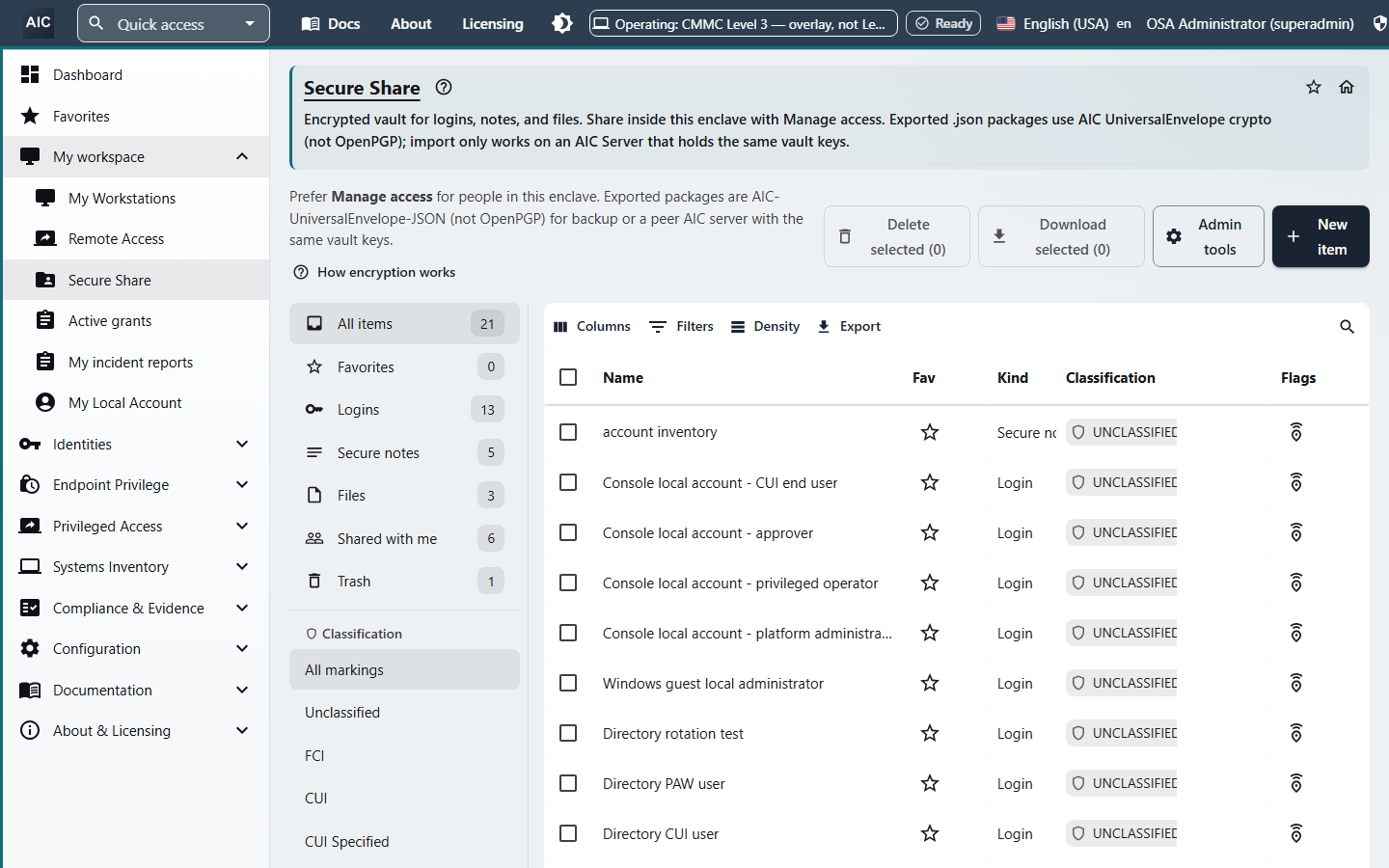
Who can receive an item
You share with a person who already has an account, or with a Secure Share group. The access dialog can pick that person from the local directory, Active Directory, or a federated directory the organization has connected. A share with someone who has no account is planned. It is not a link you can send to an outside mailbox today.
Shared with me lists items other people have granted to you. The item shows its owner.
Access you can grant
Each grant is an access list on that item. Presets cover the common cases. Custom turns the same rights on or off one at a time.
| Preset | What the other person can do |
|---|---|
| Viewer | List the item, read it, and export an interchange package. |
| Editor | Viewer, plus edit the content and the classification. |
| Collaborator | Editor, plus grant or revoke access for others. |
| Full (non-owner) | Every grantable right except the owner's Admin right. |
| Custom | Any mix of List, Read, Write, Share, Delete, and Export. |
The owner holds Admin. A person you share with does not become the owner.
Delete on a shared item can move it to trash, or purge it when that action is allowed. Export downloads an interchange package. A clear export of Controlled Unclassified Information (CUI) is still refused. See Encryption and classification.
Revoke
Revoking access re-wraps the item. The removed person or group no longer holds a usable copy of the key. Changing the access list is a deliberate edit. A personal share does not expire on a timer. Just-in-time expiry belongs to privileged access, not to this vault.
How a team uses it
- Create the login, note, or file, or open one you already own.
- Open the access list and choose a person or a group.
- Pick Viewer, Editor, Collaborator, Full, or Custom.
- The other person finds it under Shared with me.
- To take it back, revoke the grant. The item is re-wrapped.
What ships, and what is planned
A personal share does not expire on a timer. Taking access back is a revoke.
| Capability |
|---|
| Share with named people and groups |
| Viewer, Editor, Collaborator, Full, and Custom |
| Shared with me, with the owner shown |
| Revoke, with the item re-wrapped |
Planned
- Share with a person who has no account
- Personal folders in the vault
Privileged password rotation, recorded sessions, and endpoint elevation are separate capabilities. They are not sharing features of this vault.
Password manager for one person | Encryption and classification | Vault overview | Request a demo
Copyright 2026 Analog Informatics Corporation. All rights reserved.
For more information about Analog Informatics Corporation, please go to analoginfo.com.